RP2040
Config Firmware
Use the command below to enter the firmware configuration interface.
cd ~/klipper
make clean
make menuconfig
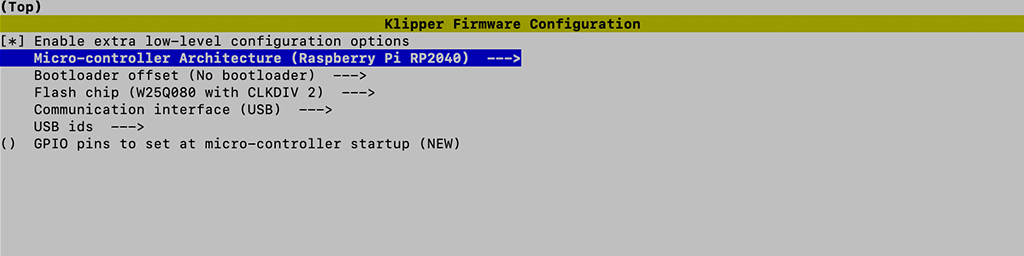
Compile Firmware
make
Flash Firmware
Short the Boot jumper then press the reset button. Use lsusb commend to check.
Bus 001 Device 001: ID 2e8a:0003 Raspberry Pi RP2 Boot
Use the commend below to flash firmware into mcu.
make flash FLASH_DEVICE=2e8a:0003
Find Serial ID
Use the commend below to find Serial ID for rp2040
ls /dev/serial/by-id/*
Then it will show the Serial ID
/dev/serial/by-id/usb-Klipper_rp2040_neko-if00
Configuring Klipper
Update the Klipper mcu configuration in printer.cfg
printer.cfg
[mcu]
serial: /dev/serial/by-id/usb-Klipper_rp2040_neko-if00